Smarter Quizzes, Members' Clubs and Your Own Number: 4 Updates for Home-Service Shops
A burst pipe and a "just curious about water heaters" shouldn't land in the same contact form. Your best maintenance customers shouldn't get the same treatment as someone who called once in 2019. And you shouldn't have to give up the number on your truck to text your customers.
This week's updates to the Local Advantage system fix all three, plus one for the owner who runs the business from the driver's seat. Here's what each one does, a real-job example, and what you need to do.
1. Quizzes that send homeowners to the right page
What it does
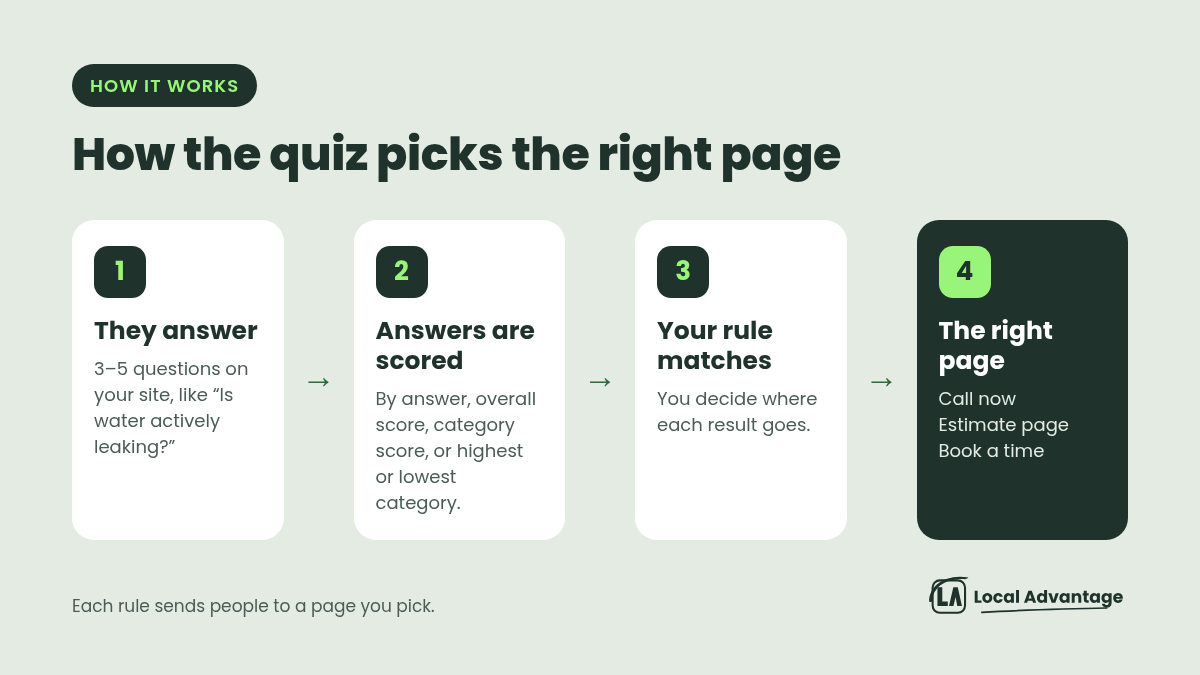
A quiz on your website can now send each person to a different page when they finish, based on how they answered. Instead of everyone landing on the same "thanks" screen, you set the rules:
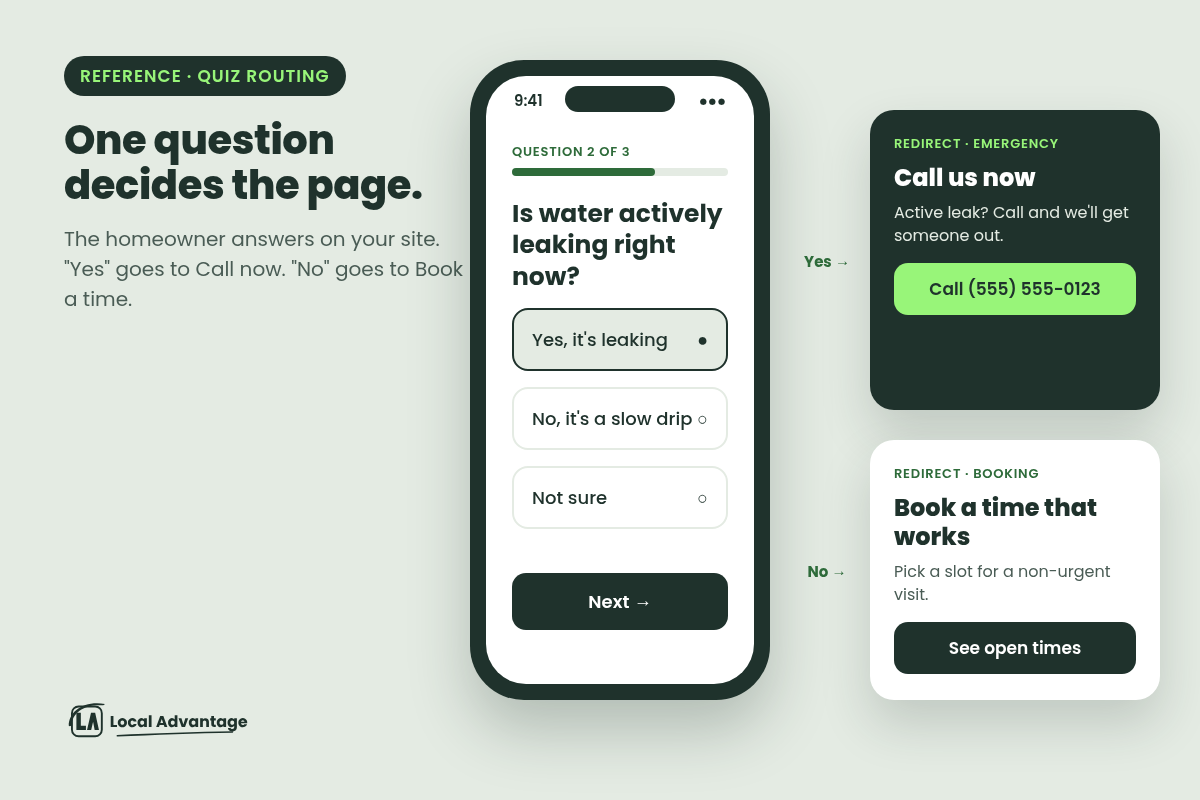
By answer: "Is water actively leaking?" Yes goes one way, No goes another.
By overall score: add up the answers and send high scores one place, low scores another.
By category score, or by highest or lowest category: for example, a "repair" category vs. a "replace" category.
The quiz sits right on your website or landing page.
Examples
HVAC, "Repair or replace?": "How old is your system?" "Is it blowing warm air?" "How often has it needed service?" If the answers lean toward replace, they go to your estimate and financing page. If they lean toward repair, they go to your booking calendar.
Plumber, "Is this an emergency?": Active leak or no water goes to a "Call us now" page with your number up top. A dripping faucet goes to "Book a time that works."
Electrician: "Flickering lights, tripping breakers or planning an upgrade?" Safety answers go to "Call now". Panel upgrades go to a quote page.
Roofer: "Leak inside the house?" goes to an emergency tarp page. "Just old shingles" goes to "Book a free inspection."
Landscaper: A "What does your yard need this fall?" quiz sends cleanup answers to the cleanup quote page and lawn-health answers to the aeration page.
How to use it
Send us the 3–5 questions your office asks on the phone, and where each answer should go. We'll build the quiz and the redirects.
2. A members' club for your best customers
What it does
You can now run one online community with several membership plans in it. Each plan can be:
weekly, monthly, yearly or a one-time payment
given a free trial
marked "Most Popular"
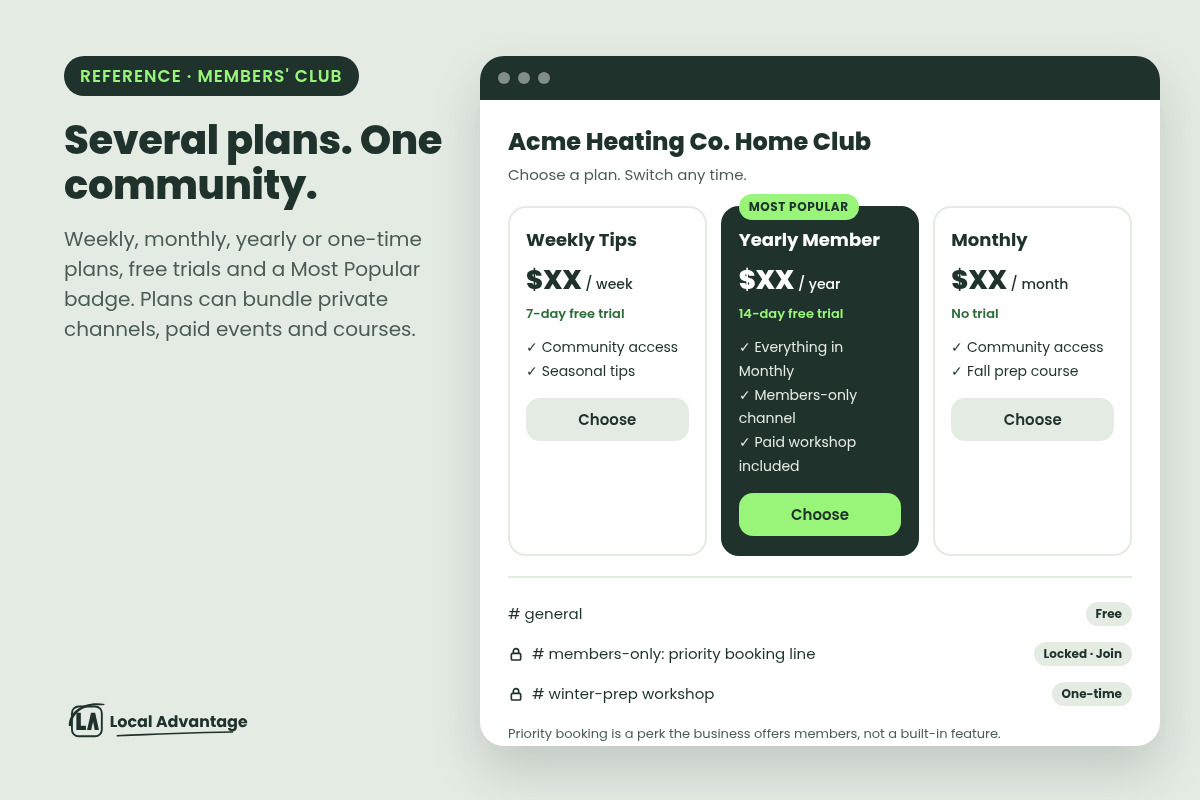
Plans can bundle private channels, paid events and courses. A private channel can stay hidden, or show in the sidebar with a lock, so members can see it and pay to join. Members can compare plans and switch whenever they like.
Examples
Homeowner maintenance club (HVAC, plumbing): Your maintenance-plan customers get a members-only space with seasonal tips ("3 things to check before the first freeze") and a channel for plan members. Perks like priority booking are something you offer members. The club is where you show it.
Landscaper "Lawn Club": A free tier for tips, and a paid tier that includes a members-only fall and spring how-to course.
Crew training (any trade): A community for your techs, with a locked channel for new-hire training videos and safety refreshers.
How to use it
Tell us what your maintenance plan already includes. We'll suggest a simple 2–3 plan setup and draft the welcome post. Start small: one free space and one members' channel.
3. Keep your number. Add the texting.
What it does
The biggest reason owners say no to texting tools: "I'm not changing my number." You don't have to.
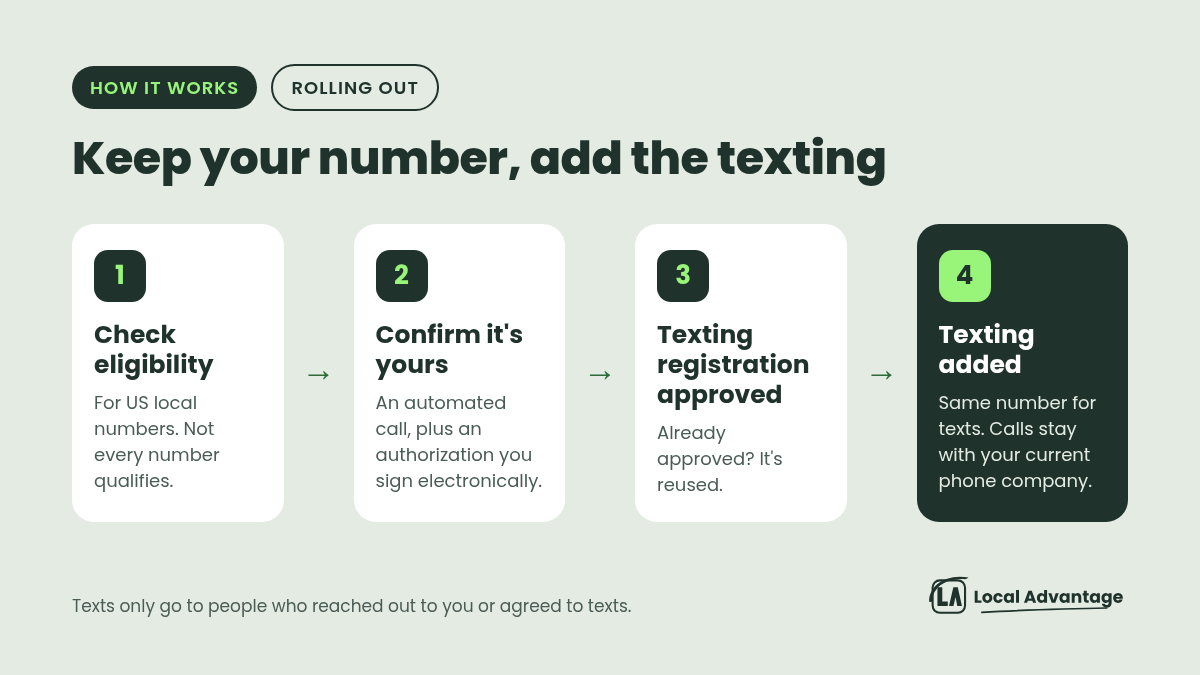
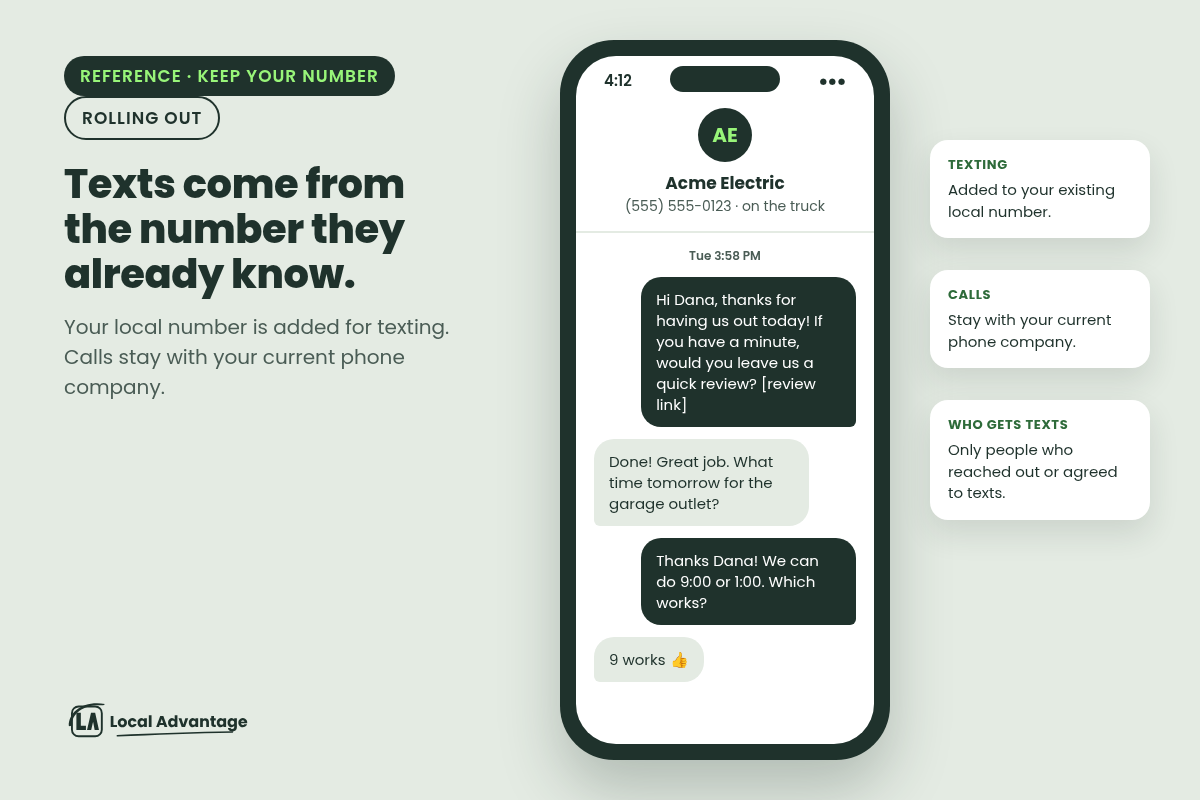
We're rolling out a way to text from the local number your customers already know, the one on the truck, the yard signs and your Google profile. Your calls stay with your current phone company. You don't move carriers. Only texting gets added.
Texts like review requests and follow-ups then come from the number your customers already recognize, not a random new one.
What it takes
An eligibility check. It's for US local numbers, and not every number qualifies.
Proof you own the number (an automated call) and an authorization you sign electronically.
Your texting registration approved. Every business needs this for business texting. If yours is already approved, it's reused.
Texts still only go to people who reached out to you or agreed to texts. Review requests go to customers who agreed to texts.
Examples
Roofer with 10 years of yard signs: Keep the number on every sign. Review requests after a finished job go out from that same number.
Electrician: The customer replies "what time tomorrow?" to a text from the number they already have saved as "Sparky's Electric", not an unknown number.
How to use it
Send us the number and the name of the phone company you use now. We'll check if it's eligible and walk you through the steps. If you also want missed calls texted back from that number, we'll check how your calls are set up first, since calls stay with your current carrier.
4. Run it from the truck
What it does
The AI assistant in the mobile app got faster to reach and smarter about your customers.
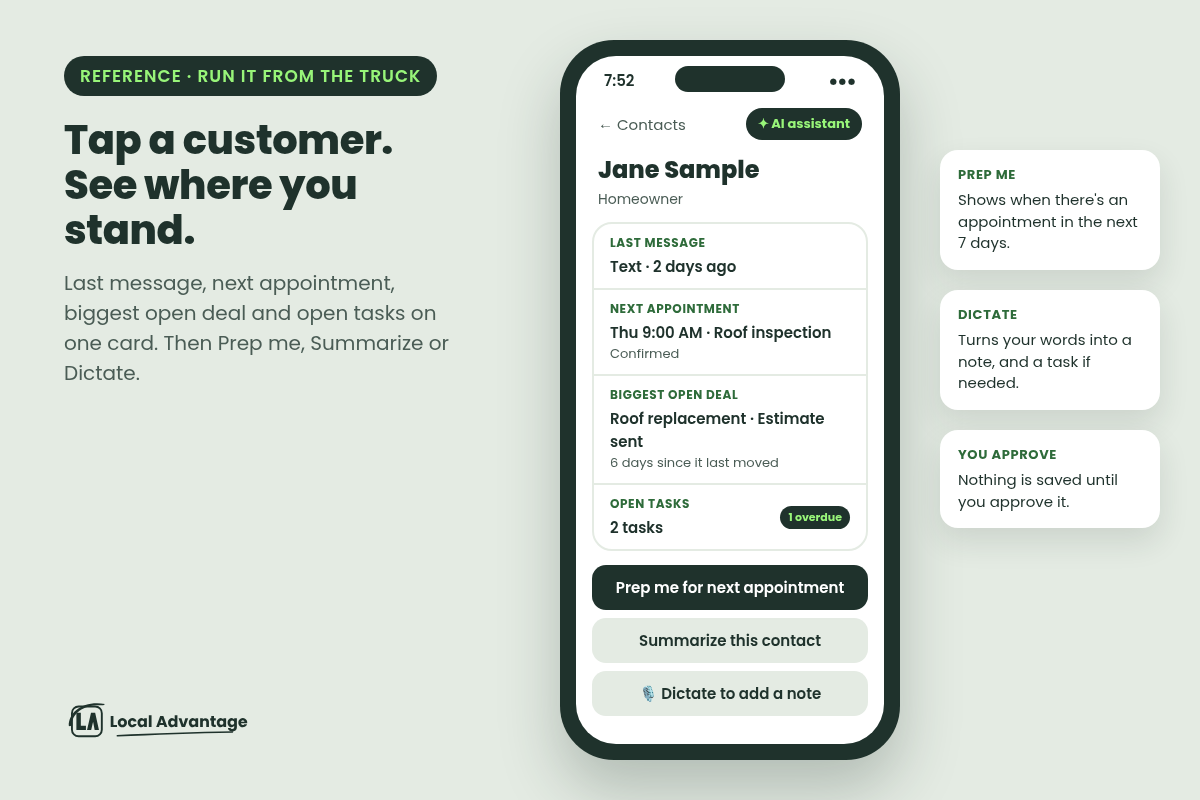
Tap a contact, see where you stand. The last message and how long ago it was, the next appointment, the biggest open deal and how long it's been sitting, and any open tasks, all on one card.
"Prep me" gives you a short briefing before an appointment in the next week. "Summarize" recaps any customer.
Dictate a note on the way back to the truck. It turns what you say into a note, and a task if needed. Nothing is saved until you approve it.
One press to start. A home-screen widget with a chat bar, a voice button and a camera button (snap a photo of a job site or a receipt and ask about it). On iPhone, you can also start it with Siri, Spotlight or the Action button.
Examples
Roofer: In the driveway before an inspection, tap the homeowner and hit "Prep me". You see the last message, the appointment and the open quote before you knock.
HVAC tech: Leaving a job, dictate "Mrs. Lee wants a quote on a heat pump, call Friday." Approve the note and the task, and drive off.
How to use it
Update the mobile app, then add the assistant widget to your home screen. Ask us to make sure your login has the assistant turned on.
Also new: fresh ad templates for Facebook, Google and LinkedIn. None are built for home service yet, so if we run your ads, nothing changes on your end.
FAQ
Is the quiz hard to set up?
No. You give us the questions and where each answer should go. We build it.
Do I have to change my number or my phone company to text customers?
No. Calls stay where they are. We're rolling out texting from your existing local number, if it's eligible and your texting registration is approved.
Will this text everyone in my phone?
No. Texts only go to people who reached out to you or agreed to texts.
Is the members' club only for big companies?
No. One free space and one members' channel is enough to start.
Will these get me more jobs?
They don't guarantee anything. They remove the places leads and customers slip through: the wrong page, the unfamiliar number, the note you forgot to write down.
See it for yourself
Not a Local Advantage client yet? See the Voice AI assistant in action by calling (802) 491-4929 for a live demo., or book a call.
Already a client? Reply to our email and tell us which of these you want first.